Let’s be honest: when you think about the "grossest" spots in your house, your mind probably goes straight to the toilet seat or the kitchen trash can. You might even give the bathroom floor a suspicious side-eye. But while you’re busy scrubbing the porcelain throne, there’s a much stealthier set of villains lurking right under your fingertips, literally.
We’re talking about your TV remote and your computer keyboard. These are the unsung heroes of our daily lives, but in the world of hygiene, they are absolute germ resorts. At The Cleaning Ninjas Inc, we see a lot of "clean" houses where the remote looks like it’s been through a mud wrestling match and the keyboard has enough crumbs to sustain a small colony of ants.
It’s time to talk about sanitizing these high-touch hotspots. Don't worry, we aren't here to judge your snacking habits; we're just here to make sure your technology isn't making you sick.
The Science of Why Your Tech is Gross
If you’re currently eating a sandwich over your laptop, you might want to put it down for a second. Research shows that keyboards can be significantly more contaminated than a toilet seat. A 2019 study actually found that in some environments, contamination rates on keyboards hit 100%. We’re talking about nasty stuff like Staphylococcus aureus, E. coli, and even C. diff.
Think about it: you touch your phone, you open the fridge, you pet the dog, you sneeze into your hand, and then… you type an email or flip to the next episode of your favorite show. Every single one of those microbes gets transferred to the keys and buttons. Because these items have lots of nooks and crannies, they become the perfect "safe houses" for bacteria to multiply.
Even worse? Bacteria are resilient. Microbial regrowth can start within just a few hours after cleaning. That’s why consistent maintenance is the only way to keep the germ population down. If you want to dive deeper into how frequent cleaning affects your home environment, check out our post on weekly house cleaning matters.
Keyboard Sanitizing: The Ninja Way
Your keyboard is basically a biological archive of everything you’ve done over the last month. To get it truly clean, you need a strategy. You can't just dunk it in soapy water (unless you want to buy a new laptop).
Step 1: Power Down
Before you do anything, turn off the computer or unplug the keyboard. If it’s a laptop, shut it down completely. You don’t want to accidentally "Reply All" to a company-wide email with a string of gibberish while you’re scrubbing the "A" key.
Step 2: The "Shake and Wake"
Turn the keyboard upside down over a trash can and give it a gentle shake. You’ll be amazed (and probably slightly horrified) at what falls out. We’re talking crumbs, hair, and mystery dust.
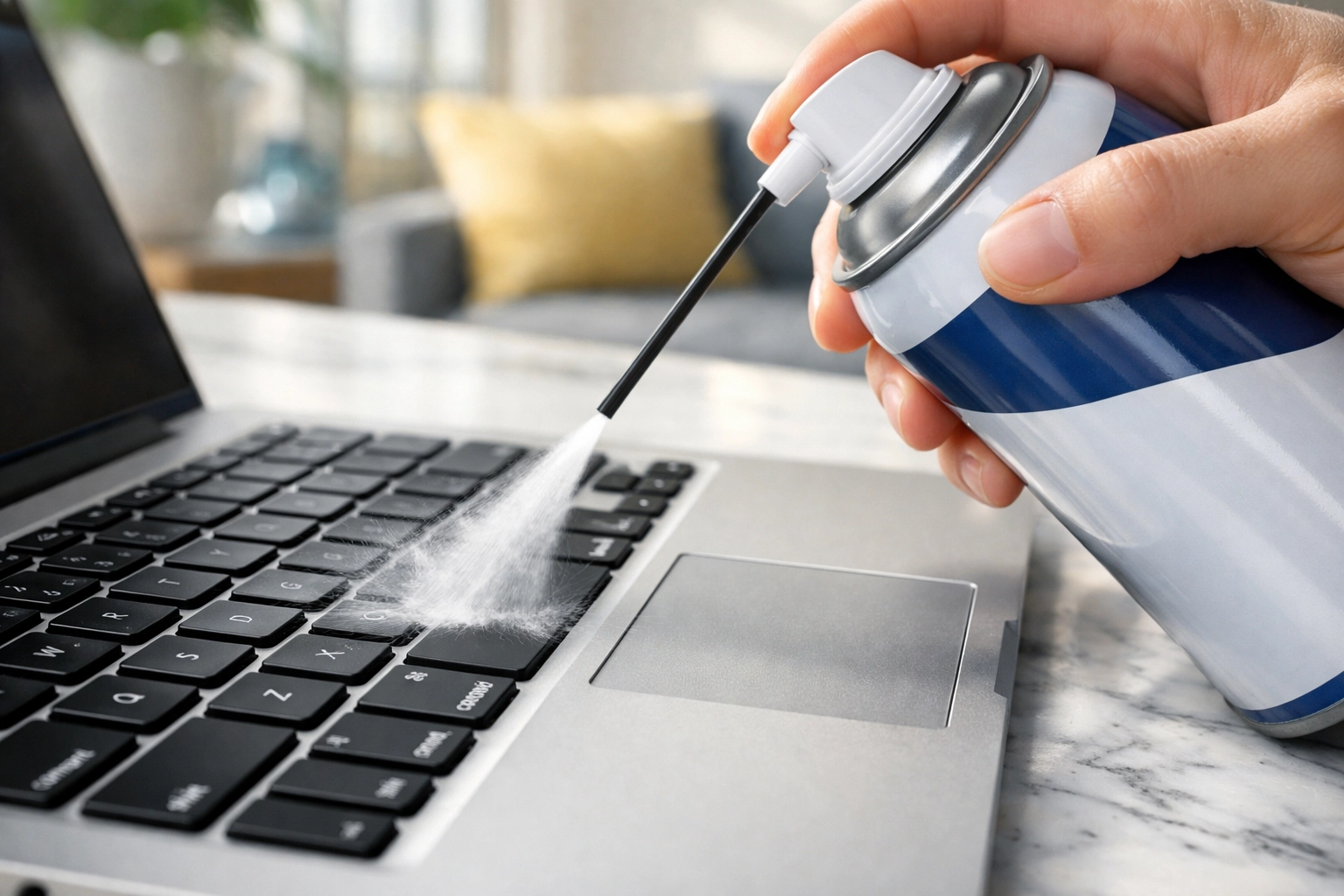
Step 3: Compressed Air
Use a can of compressed air to blow out the remaining debris from between the keys. Aim the nozzle at an angle so you’re blowing the dirt out rather than further in.
Step 4: The Sanitizing Strike
Now for the actual disinfecting. 70% isopropyl alcohol is your best friend here. It’s effective enough to kill nearly 100% of bacteria but evaporates quickly enough that it won’t damage your hardware if used correctly.
- Don't spray directly: Never spray liquid directly onto your keyboard.
- The Wipe Method: Use a disinfecting wipe or a microfiber cloth dampened (not dripping) with alcohol.
- Focus on the Hotspots: Pay extra attention to the space bar, the enter key, and the home row where your fingers rest the most.
The Remote Control: The Family Germ-Sharer
If the keyboard is your personal germ-fest, the remote control is the community center. Everyone in the house touches it: kids with sticky hands, someone nursing a cold, the guest who didn’t wash their hands after the bathroom.
Remotes are notorious for being overlooked during routine cleaning. But at The Cleaning Ninjas Inc, we know that a truly clean home involves hitting every button.
Step 1: Battery Removal
Pop those batteries out. This prevents you from accidentally changing the language settings to Swedish or short-circuiting the device if a little moisture gets inside.
Step 2: Debris Removal
Use a toothpick or a clean toothbrush to get into the tiny gaps around the buttons. This is where skin cells and oils accumulate to form that "grime" you sometimes see.
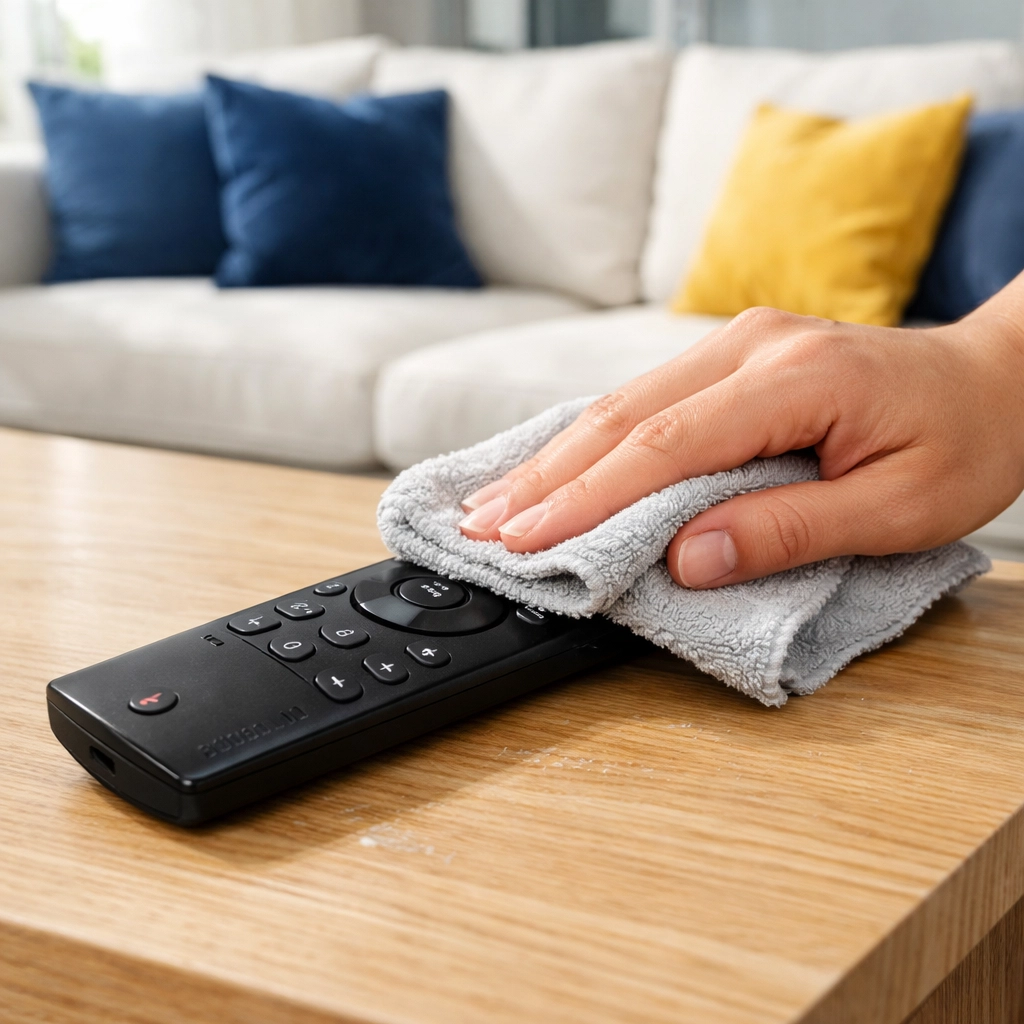
Step 3: The Disinfection
Just like the keyboard, use a wipe with 70% isopropyl alcohol. Here is the Ninja secret: to truly sanitize, the surface needs to stay visibly wet with the disinfectant for about 4 minutes. This gives the alcohol time to actually kill the pathogens rather than just moving them around.
Step 4: Dry and Reassemble
Let the remote air dry completely before putting the batteries back in. It only takes a minute, and it ensures no moisture is trapped inside.
Why You Should Care (Beyond the Ick Factor)
Keeping your tech clean isn’t just about being a "neat freak." It’s about health. In shared households or offices, these devices are the primary way viruses spread from person to person. When you sanitize your remote, you're essentially breaking the chain of infection.
If you’re finding that your "to-clean" list is getting longer than your "to-watch" list on Netflix, it might be time to call in the professionals. Our cleaning service in Massachusetts specializes in those deep-cleaning details that most people miss. We don’t just move the dust around; we eliminate the hotspots.
Quick Tips for Daily Maintenance
You don't need to do a deep dive every single day, but a few "Ninja habits" can keep the germs at bay between cleanings:
- Wash Your Hands: It sounds simple, but washing your hands before you sit down to work or watch TV reduces the transfer of oils and bacteria significantly.
- No Eating Over Tech: We know, we know. But crumbs are the foundation of keyboard filth. If you must snack, move the keyboard aside.
- The Quick Wipe: Keep a pack of electronics-safe wipes in your desk drawer or near the TV. A 10-second wipe-down every evening makes a huge difference.
The Bigger Picture: A Healthier Home
Sanitizing your tech is a small part of a larger strategy for a healthy living environment. Whether you are looking for professional office cleaning to keep your team healthy or a weekly vs. bi-weekly house cleaning service to keep your family safe, consistency is key.
At The Cleaning Ninjas Inc, we pride ourselves on being the experts in the shadows, tackling the grime you don't even see. From the top of the ceiling fans to the spaces between your keyboard keys, we’ve got you covered.
Need a Hand?
If you’re feeling overwhelmed by the thought of sanitizing every clicker and keyboard in your house, don’t panic. That’s what we’re here for! You can learn more about us and how we can turn your home into a germ-free sanctuary by checking out our services.
In the meantime, go grab some alcohol wipes and give that remote some love. Your health (and your keyboard) will thank you. For more "Ninja Tips" on how to keep your home in tip-top shape, stay tuned to our blog. We’re always dropping new hacks to make your life easier and your home cleaner.
Stay clean, stay healthy, and keep those remotes shiny!